Personal injury settings
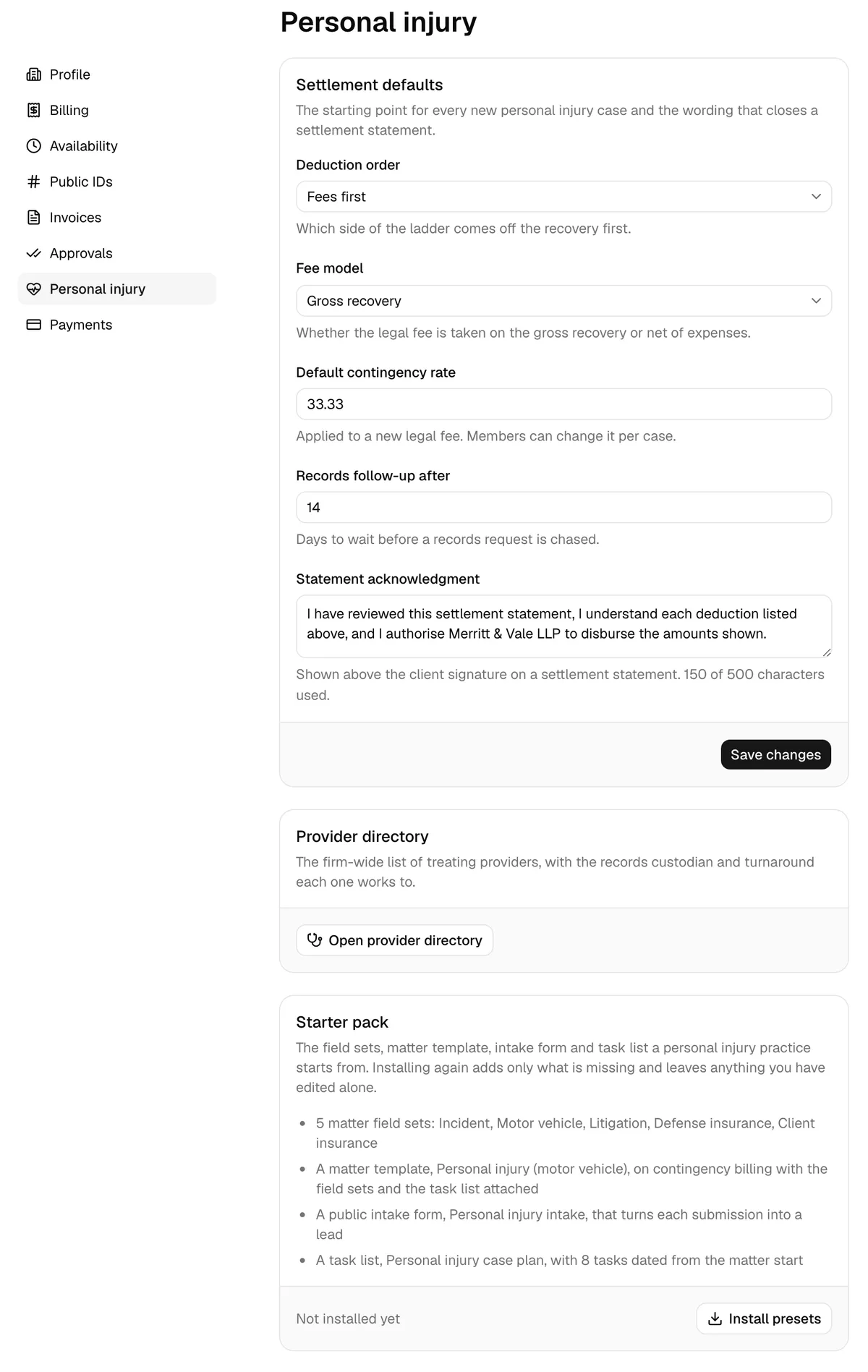
Settings > Personal injury holds the firm-wide defaults every new injury case starts from, the link to your provider directory, and the starter pack of field sets, templates, and forms that gets a personal injury practice going in one click.
Before you begin
- Personal injury is part of the Professional plan. On the Standard plan the module is hidden everywhere else, and this page shows a No access message instead of the settings, even though the entry stays in the settings sidebar. Only the firm owner can move the firm to Professional, from Settings > Billing. See Your Esqase subscription.
- Outside the Philippines, your firm owner also accepts an agreement once. Until that is done this page shows the same No access message, and the module itself opens on a Business Associate Agreement required card. A firm registered in the Philippines accepts no agreement. See Business associate agreement (BAA).
- Go to Settings, then Personal injury in the settings sidebar.
- View access for Personal injury opens the page. Update access for the same area is what lets you change anything on it; without it the fields are there but locked and the buttons are hidden.
- Anyone who can update personal injury records can change these firm defaults, including the acknowledgment wording that prints on every settlement statement. There is no separate settings permission, so bear that in mind when you grant Update.
Note: A firm registered in the Philippines opens this page as Settings > Torts and Damages, with Default contingent fee rate in place of the contingency rate and a Philippine starter pack. See Torts and damages (Philippines).
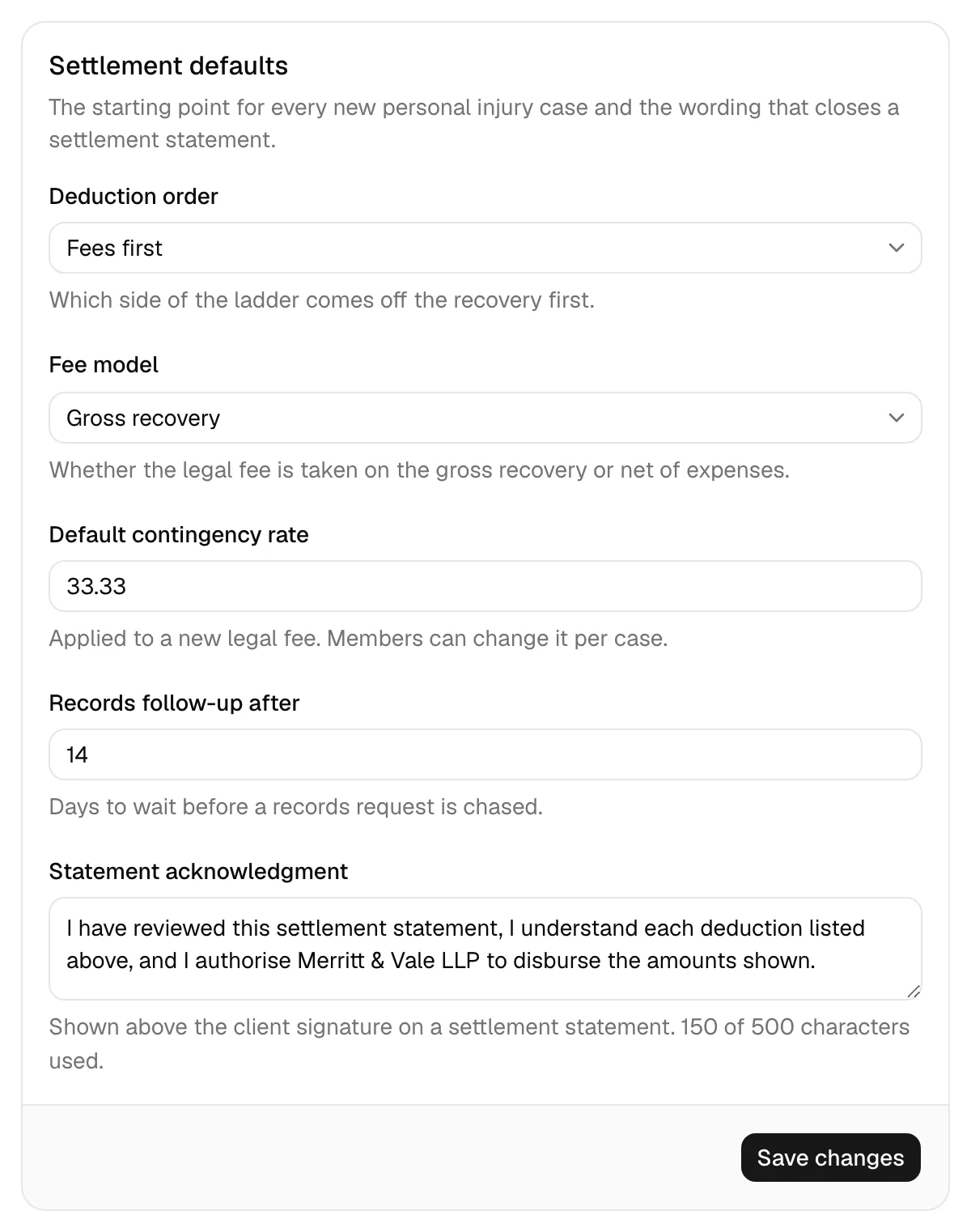
Settlement defaults
The Settlement defaults card is "The starting point for every new personal injury case and the wording that closes a settlement statement."
- Set Deduction order: "Which side of the ladder comes off the recovery first." Choose Fees first or Expenses first.
- Set Fee model: "Whether the legal fee is taken on the gross recovery or net of expenses." Choose Gross recovery or Net of expenses.
- Set Default contingency rate: "Applied to a new legal fee. Members can change it per case." Enter a percentage.
- Set Records follow-up after: "Days to wait before a records request is chased."
- Write your Statement acknowledgment: "Shown above the client signature on a settlement statement." The helper text counts as you type, up to 500 characters.
- Click Save changes. You will see Personal injury settings updated.
Deduction order and Fee model are copied onto each new case when it is created, and from the case onto its settlement. Changing them here does not touch a case or settlement that already exists, so a settlement in progress is never rewritten under you. To change one case, edit its incident details; to change one settlement, use the two controls at the top of its Settlement tab. See Settlement and disbursement.
The acknowledgment text is different: it is taken at the moment you generate a settlement statement and stored with that statement, so a statement you have already sent a client keeps the wording it was printed with.
Tip: The acknowledgment is the paragraph the client is signing under. Typical wording confirms that they have reviewed the figures, that they authorise the disbursements listed, and that they accept the net amount in full settlement. Have someone at your firm approve the wording before you use it.
The provider directory
The Provider directory card links to your firm-wide list of treating providers, with the records custodian, contact details, and typical turnaround for each one, so a records request does not start from scratch every time.
Click Open provider directory. For how to add, archive, and restore profiles, see Medical records and treatment.
The starter pack
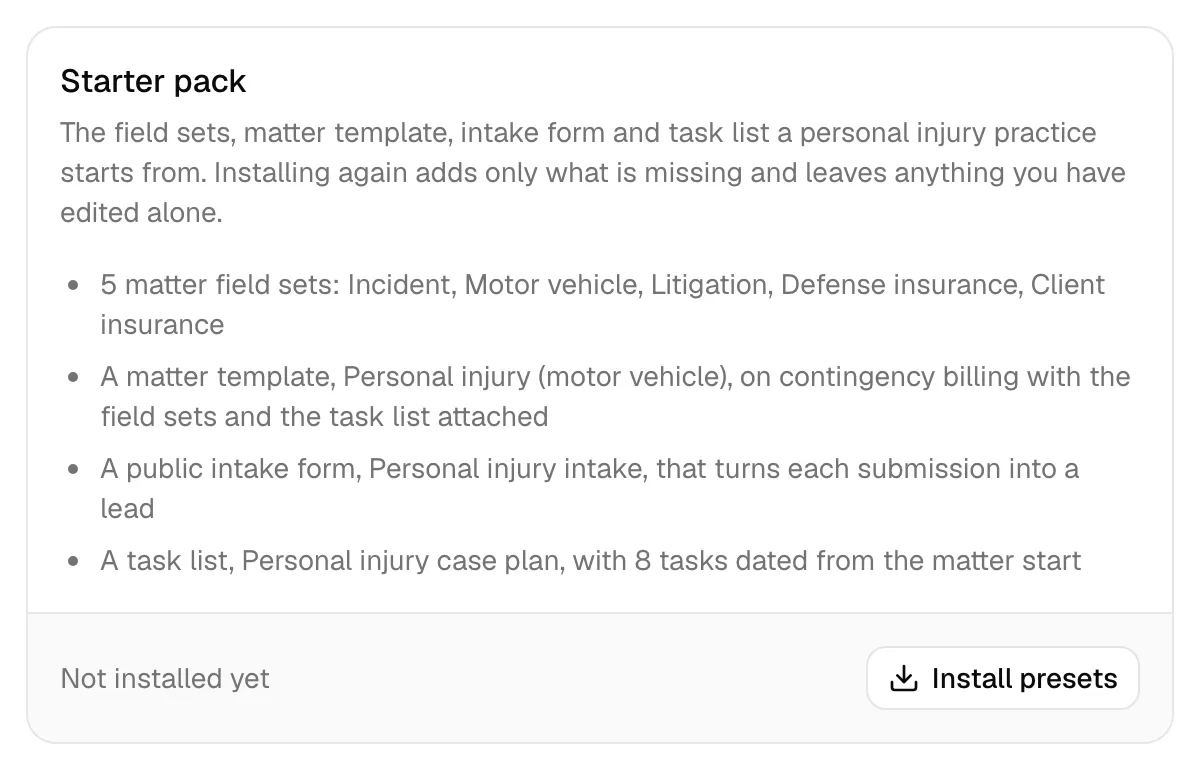
The Starter pack card installs "The field sets, matter template, intake form and task list a personal injury practice starts from."
What it installs
| Item | What you get |
|---|---|
| Five matter field sets | Personal injury: Incident, Personal injury: Motor vehicle, Personal injury: Litigation, Personal injury: Defense insurance, and Personal injury: Client insurance, 28 custom fields between them, covering the date and location of loss, the police report, the vehicles and at-fault driver, the court and trial date, and both sides' carriers, policy numbers, adjusters, and limits |
| A matter template | Personal injury (motor vehicle), on contingency billing at your Default contingency rate, with the five field sets and the task list already attached |
| A public intake form | Personal injury intake, a lead-intake form that turns each submission into a lead |
| A task list | Personal injury case plan, eight tasks dated from the matter's start date |
The eight tasks run: Send authorization forms to the client (day 2), Request records and bills from all providers (day 7), Follow up on outstanding requests (day 30), Confirm treatment status with the client (day 45), Follow up again on outstanding requests (day 60), Review the statute of limitations date (day 90), Prepare the demand once treatment is complete (day 120), and Calendar lien and balance notices (day 150).
Install it
- Scroll to the Starter pack card. It reads Not installed yet.
- Click Install presets. You will see Personal injury presets installed, and the card changes to Installed with the date.
The pack also installs itself, silently, the first time anyone in your firm uses Track as personal injury on a matter. Nothing tells you it happened, so if you have already tracked a case, expect this card to say Installed before you have touched it.
Reinstall it
Once installed, the button reads Reinstall missing presets. Click it and Esqase adds only what is missing and leaves anything you have edited alone, so it is safe to run at any time. Use it if someone deletes a field set, or after you have adjusted the pack and want the missing pieces back.
Note: Esqase recognises the pack by name. If you rename or archive one of the items and reinstall, you get a fresh copy alongside your renamed one, because Esqase cannot tell that the two are the same thing. Rename with that in mind.
Note: Installing the pack needs Create access to custom fields, tasks, forms, and matter templates as well as Update access to Personal injury. If your role is missing one, that part fails with the usual permission message and nothing is marked installed. Run it again once your role is fixed, or ask an administrator to run it.
Note: If two people click at once, the second is told "The starter pack is already being installed. Give it a moment and refresh".
What to do with it
The pack is a starting point, not a rule:
- The field sets appear under Settings > Custom fields and can be edited like any others. See Field sets and using custom fields.
- The matter template appears in the Start from template picker when you create a matter. See Matter templates.
- The task list appears wherever you assign task lists, including on the matter template. See Task lists and templates.
- The intake form is public and creates a lead from each submission. Publish it or embed it on your website. See Public lead-intake forms.
Note: The intake form's authorization section is a paragraph of authorization text, a required consent tick box, a typed-name field, and a date, because the form builder has no signature element. If you need a signed authorization, send the client a document for signature instead. See Requesting eSignatures.
Merge fields for personal injury
Once a matter is tracked as a personal injury case, four extra groups of merge fields become available in the document editor's Placeholders panel, under System fields: Matter, Damages, Medical, and Settlement. They let you template a demand letter or a settlement statement instead of retyping the figures.
Unlike the older system fields, these are filled in for you when you create a document from a template into a matter's folder. See Document placeholders for the full list and how it works.
Common questions
I changed the fee model here but an open case did not change. That is intended. The defaults seed new cases; existing ones keep what they were set up with. Change the case on its Medical tab, or the settlement on its own tab.
Why can I open this page but not change anything? You have View access for Personal injury but not Update. Ask an administrator.
The card says Installed but I never clicked the button. The pack installs itself the first time someone tracks a matter as personal injury. That is what happened.
I deleted a field set from the pack. Can I get it back? Yes. Click Reinstall missing presets and only the missing pieces are recreated.
Where do I change who can use personal injury? Under Settings > Roles, in the Personal injury group of the permission grid. See Roles and permissions.